

Navigating permit requirements is one of the most frustrating parts of any remodel. Rules shift from one municipality to the next, and what’s required in Austin may be completely different from what’s needed in Cleveland. Skipping the process entirely risks fines, failed resale inspections, and voided homeowner’s insurance.
PermitPal is the AI-powered permit checker and project cost estimator built for both contractors and homeowners. It delivers municipality-specific permit checklists, RSMeans-based cost breakdowns, and inspector tips in under 60 seconds, cutting through the confusion that stalls so many projects before they even begin.
If permit headaches have ever cost you time or money, visit the official PermitPal site to see how it handles the research for you.
Contents
What Is PermitPal?
PermitPal is a SaaS tool designed to take the guesswork out of home renovation permits and project budgeting. Enter your project type and zip code, and it generates a municipality-specific checklist along with an AI-powered cost estimate in under 60 seconds. No more digging through city websites or sitting on hold with your local building department.
Who Is PermitPal For?
PermitPal serves two core audiences, each with different needs but the same core problem: not knowing what’s required before work begins.
Homeowners: Planning a kitchen remodel, deck addition, or bathroom upgrade and need a clear, localized permit roadmap without hiring a consultant.
Contractors: Juggling multiple job sites and need RSMeans-based pricing data to build accurate client quotes quickly, without starting from scratch on every bid.
Homeowners get peace of mind. Contractors get a competitive edge.
How Does PermitPal Work?
The workflow is straightforward. Enter your project type (say, a garage conversion) and your zip code, and PermitPal immediately pulls the permit requirements for your specific municipality.
Within 60 seconds, you receive:
- A tailored permit checklist with inspector tips and common mistake warnings
- An AI-generated cost estimate with material breakdowns by category
- Direct shopping links to Home Depot and Lowe’s for quick purchasing
That locality-specific accuracy is what separates PermitPal from generic online calculators. Your city’s rules and your project’s numbers, delivered instantly.
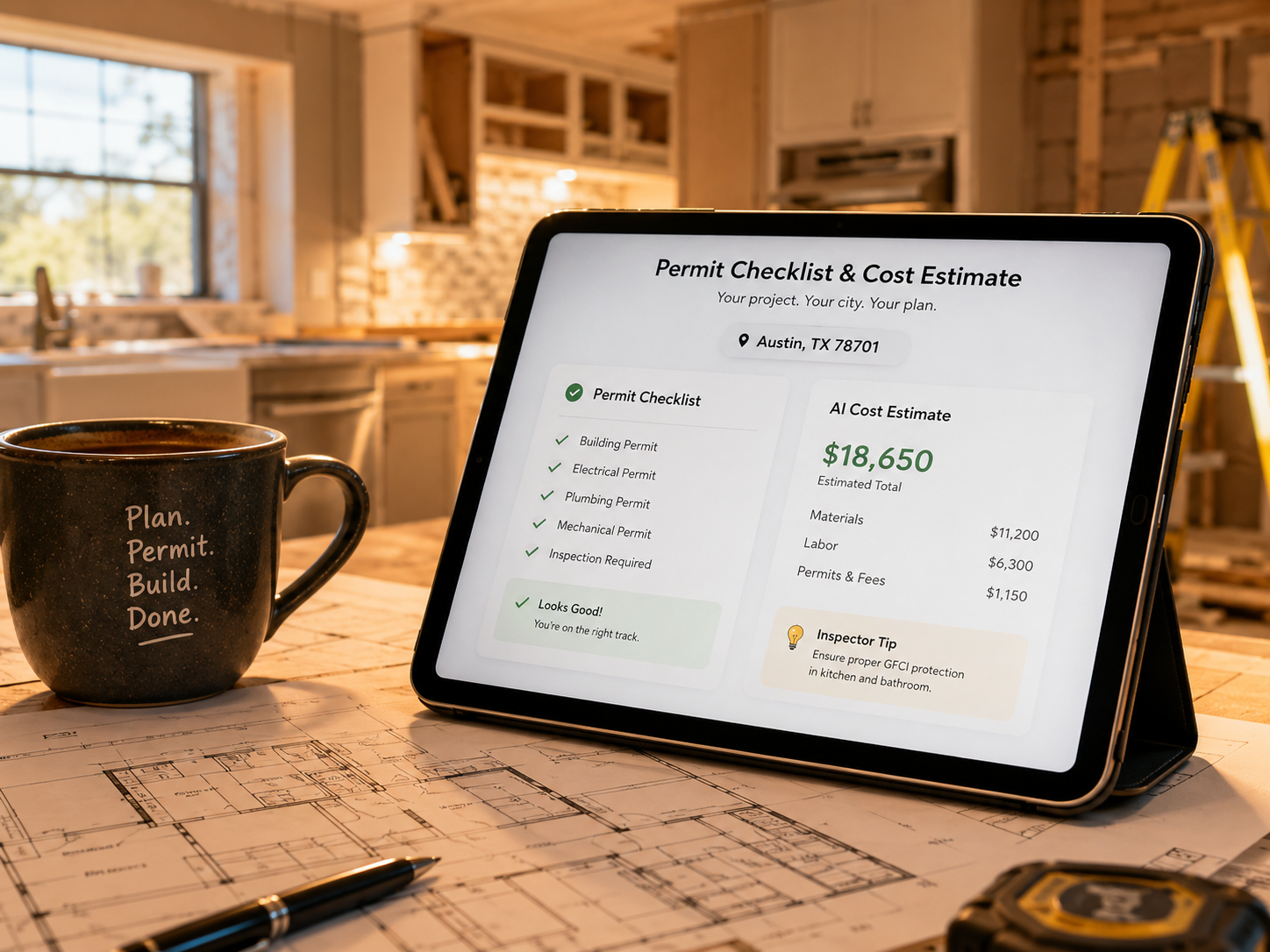
Municipality-Specific Permit Checklists
Every city and county operates under its own rules, and that fragmentation wastes hours of research time. PermitPal eliminates the need to bounce between government portals by pulling the exact requirements for your location automatically.
- Covers thousands of U.S. municipalities
- Flags jurisdiction-specific documentation requirements
- Updates as local codes change
AI Project Cost Estimator for Contractors
The cost estimator inside PermitPal runs on RSMeans-based pricing data, the same professional-grade source used by estimators and project managers across the construction industry. Enter your project type and location, and the tool returns a realistic cost range grounded in current regional labor and material rates.
Free government permit portals offer nothing close to this level of financial detail. For anyone budgeting a kitchen remodel, bathroom addition, or structural renovation, this feature alone justifies the tool.
Material Cost Breakdown and Shopping Integration
PermitPal breaks estimated costs down by material category, so you see exactly where your budget is going before a single tool touches the wall. From lumber and drywall to fixtures and fasteners, every line item is accounted for.
Direct shopping links to Home Depot and Lowe’s let you move from estimate to cart without switching tabs. Compare live product pricing, add materials to your shopping list, and keep your entire workflow inside one platform.
Inspector Tips and Common Mistake Warnings
Each PermitPal report includes practical guidance built around what inspectors look for during walkthroughs. Think of it as having a seasoned contractor review your paperwork before submission.
Users get specific warnings about documentation gaps, setback violations, and missing signatures that routinely cause first-time failures. Catching these issues early means fewer re-inspection fees and fewer project delays.
Ready to see what your specific project requires? Explore the PermitPal features and generate your first report in under a minute.

Why Skipping Permits Is a Costly Mistake
The most stressful part of any home project is not knowing if you even need a permit. But skipping the process when you do can get expensive fast. Homeowners who bypass permits face real consequences:
Resale disclosure issues: Unpermitted work must be disclosed during a sale and can reduce your offer price or kill the deal entirely.
Insurance complications: If unpermitted work causes damage, your homeowner’s insurance may refuse to cover it.
Municipal fines: Depending on your jurisdiction, fines can range from a few hundred to several thousand dollars.
PermitPal’s common mistake warnings flag these pitfalls before you file, acting as a financial safety net built into every report.
Accurate Estimates That Hold Up on the Job Site
Contractors need numbers they can actually stand behind. PermitPal’s AI cost estimator pulls from RSMeans-based pricing data to generate professional-grade outputs, not rough guesses. Every estimate includes a detailed material cost breakdown by category, so client proposals reflect real market rates.
That credibility wins jobs. And because shopping links connect directly to Home Depot and Lowe’s, one session takes you from planning to cart without re-entering a single quantity.
PermitPal Pros and Cons
No tool is perfect. Here’s an honest look at where PermitPal delivers and where it falls short.
Pros:
- Generates municipality-specific permit checklists without manual portal research
- RSMeans-based pricing data delivers contractor-grade cost accuracy
- 60-second report generation saves hours of research time
- Inspector tips and common mistake warnings reduce re-inspection risk
- Direct Home Depot and Lowe’s shopping links connect estimates to purchasing
Cons:
- Requires internet access and account creation to use
- Smaller municipalities may have thinner data coverage
- No dedicated mobile app at launch
The browser-based experience works well on most devices, and the 30-day money-back guarantee means you can verify accuracy for your specific location before fully committing.
What Users Are Saying
Users consistently highlight three things when they talk about PermitPal:
Speed: Reports generate in 60 seconds, which contractors especially appreciate before client meetings.
Local accuracy: Municipality-specific checklists feel tailored rather than generic, and that distinction matters when you’re filing real paperwork.
Inspector tips: First-time renovators frequently say this section alone justified the purchase.
The AI cost estimator draws particular praise from contractors, who note that RSMeans-backed pricing and direct shopping links make budgeting feel concrete rather than speculative.
The most common hesitation involves value for single-project users, but at a low entry price backed by a 30-day money-back guarantee, the risk is minimal. Smaller municipalities occasionally have thinner data coverage, which is a fair concern, though the guarantee directly addresses that uncertainty.

PermitPal vs. Free Alternatives
Free government portals are a reasonable starting point, but they cover only their own jurisdiction, offer no cost estimation, and provide zero material breakdowns or inspector guidance. Many haven’t been updated in years. Generic calculators give you a ballpark number and nothing else.
PermitPal pulls municipality-specific requirements into one place and layers on everything a portal or basic calculator simply can’t offer.
| Feature | PermitPal | Municipal Portals | Generic Estimators |
|---|---|---|---|
| Municipality-specific checklists | Yes | Yes (local only) | No |
| AI cost estimates | Yes | No | Partial |
| RSMeans pricing data | Yes | No | No |
| Shopping links | Yes | No | No |
| Inspector tips | Yes | No | No |
| Report speed | 60 seconds | Varies | Instant |
PermitPal combines compliance guidance and cost intelligence in a single 60-second report, something no free alternative currently matches. See how PermitPal compares for your specific project type and location.
Frequently Asked Questions About PermitPal
Does PermitPal work for my specific city or county?
Yes. PermitPal generates checklists tailored to your local permit requirements, not generic national guidelines. Simply enter your zip code and project type to get jurisdiction-specific results.
How accurate are the AI cost estimates?
Estimates are powered by RSMeans-based pricing data, the same industry-standard database professional estimators use daily. Costs are broken down by material category so you can see exactly where your budget is going.
What types of renovation projects does PermitPal cover?
PermitPal supports a wide range of projects, including kitchen remodels, bathroom renovations, deck additions, structural changes, HVAC replacements, electrical upgrades, and plumbing work.
Can contractors use PermitPal for client proposals?
Absolutely. The AI cost estimator is one of PermitPal’s core use cases for contractors. RSMeans-backed outputs are professional-grade and suitable for formal bids and client-facing proposals.
What happens if I renovate without a permit?
Skipping permits can result in fines, failed home inspections, and insurance complications. You may also face mandatory resale disclosures that reduce your home’s value and complicate future sales.
Is there a money-back guarantee?
Yes. Every plan is backed by a 30-day money-back guarantee, so you can verify accuracy for your specific location before fully committing.
Is PermitPal Right for Your Next Project?
PermitPal delivers exactly what overwhelmed homeowners and contractors need: municipality-specific permit checklists, RSMeans-based cost estimates, and material breakdowns generated in 60 seconds. Whether you’re managing a single bathroom remodel or juggling multiple job sites, it removes the guesswork that causes costly permit errors and project delays.
Every report includes permit requirements matched to your local jurisdiction, an AI-generated cost estimate with category-level breakdowns, inspector tips, common mistake warnings, and direct shopping links to Home Depot and Lowe’s.